Open your Panotour and choose Views.
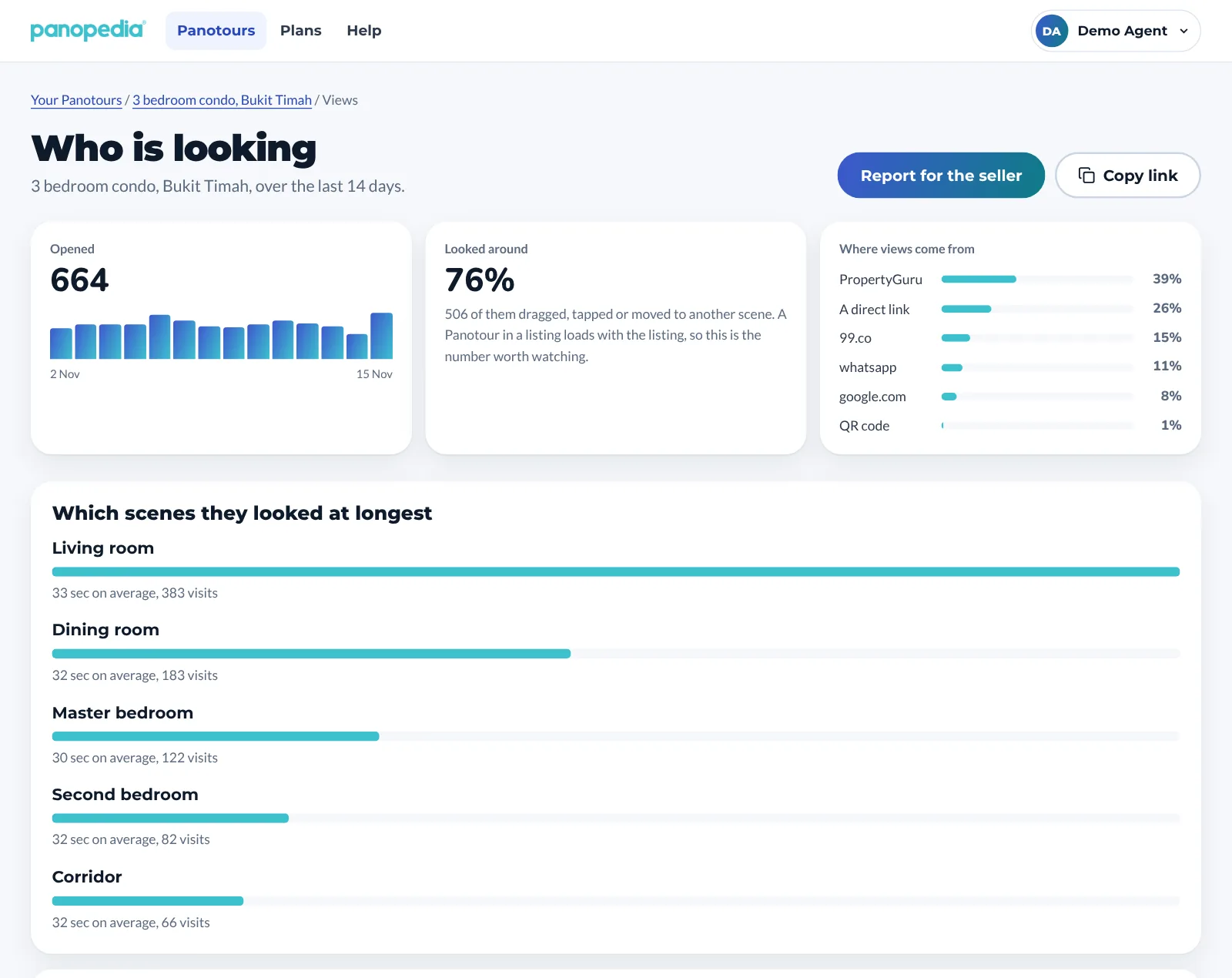
- Last two weeks. How many times it was opened, day by day, and how many of those people actually looked around rather than just passing it.
- Where views come from. The websites and apps it was opened from: your own site, a portal, a social app, or a link opened directly. WhatsApp, email, text messages and QR codes do not say where they came from, so they show as a direct link, unless the link says so: see below.
- Which scenes they looked at longest. The scenes people spent their time in.
A Panotour embedded in a listing loads whenever the listing does, even for someone scrolling past, which is why "looked around" is the number worth watching.
Tip. "Most people spend their time in the kitchen" is something a seller wants to hear. The scenes list is the evidence.
Where people looked
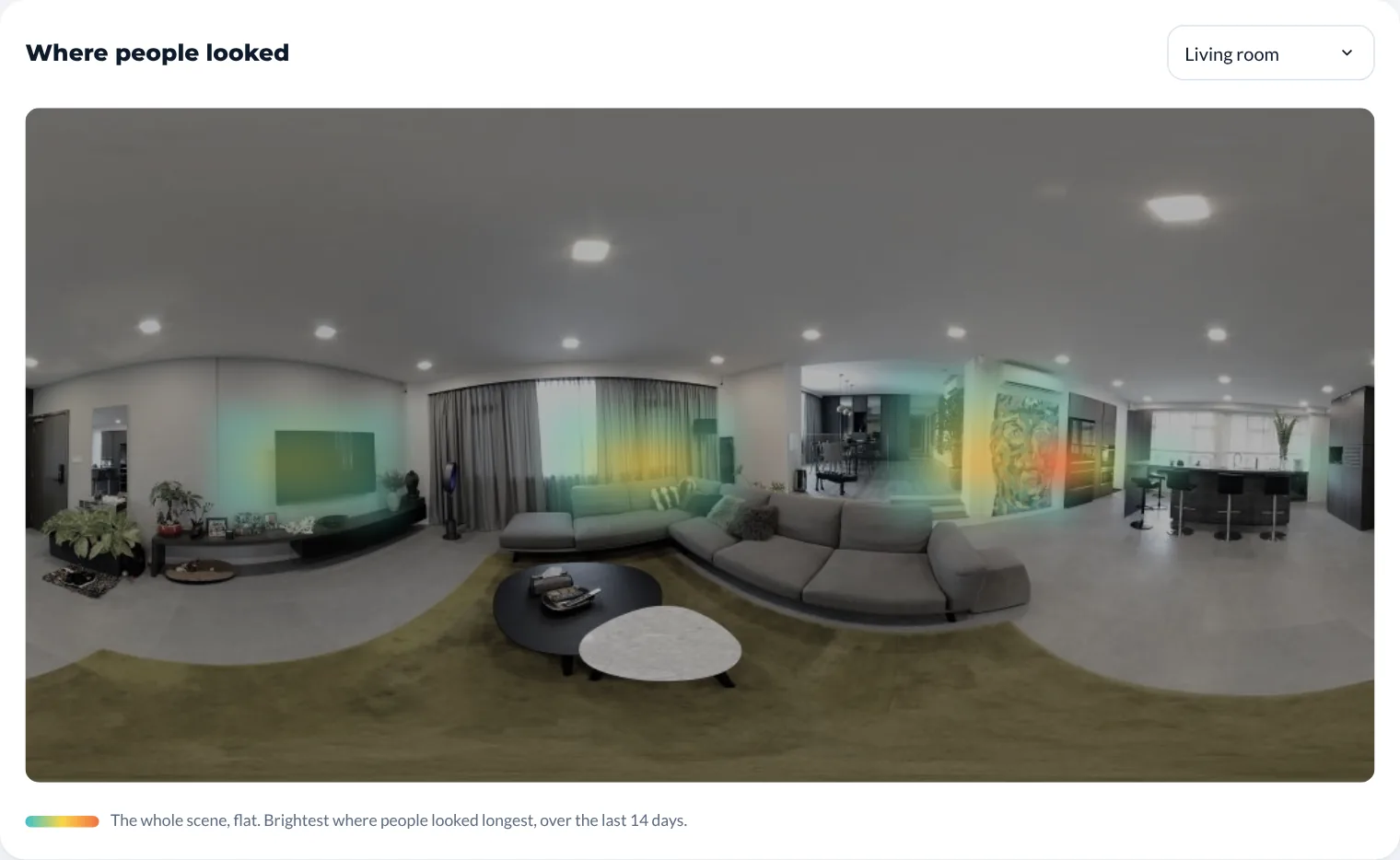
Under Where people looked, choose a scene. Its whole photo shows flat, glowing where people looked longest: teal for a little, orange for the most. It counts only people who started looking around themselves, not the view a Panotour opens on.
Where they went next
Where they went next takes each scene in turn and shows where people went from it: which scene they walked to, and how often they closed the Panotour there.
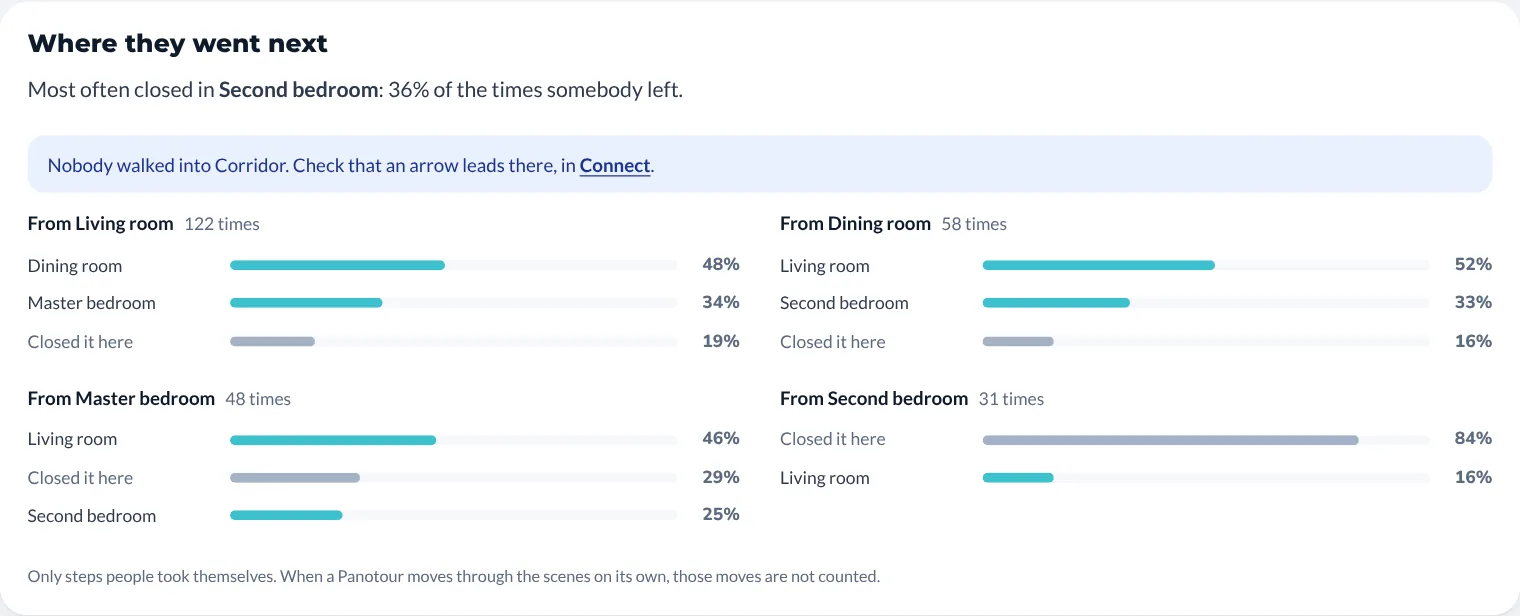
- Most often closed in names the scene people most often leave from. If that is a scene you are proud of, good. If it is a corridor, it may be where people lose interest, so think about leaving it out or making it the last scene.
- Nobody walked into a scene means no visitor found a way there. Check that an arrow leads to it in Connect your scenes with hotspots.
Only steps people took themselves are counted. When a Panotour moves through the scenes on its own, those moves are left out.
Count WhatsApp, email and QR codes apart
On your Panotour's page, under Share it, choose Where you will send it: WhatsApp, Email, Text message, A QR code and others. The link gets a small tag, and Views then shows how many people came from each. The share buttons inside a Panotour, and the listing kit, add their own tags.
A report for the seller
Press Report for the seller at the top of Views. It is one page about this Panotour over a week, a month or three months: how often it was opened compared with the time before, how many looked around, the time spent inside, day by day, the scenes that held people and where they came from, with your name and contact.
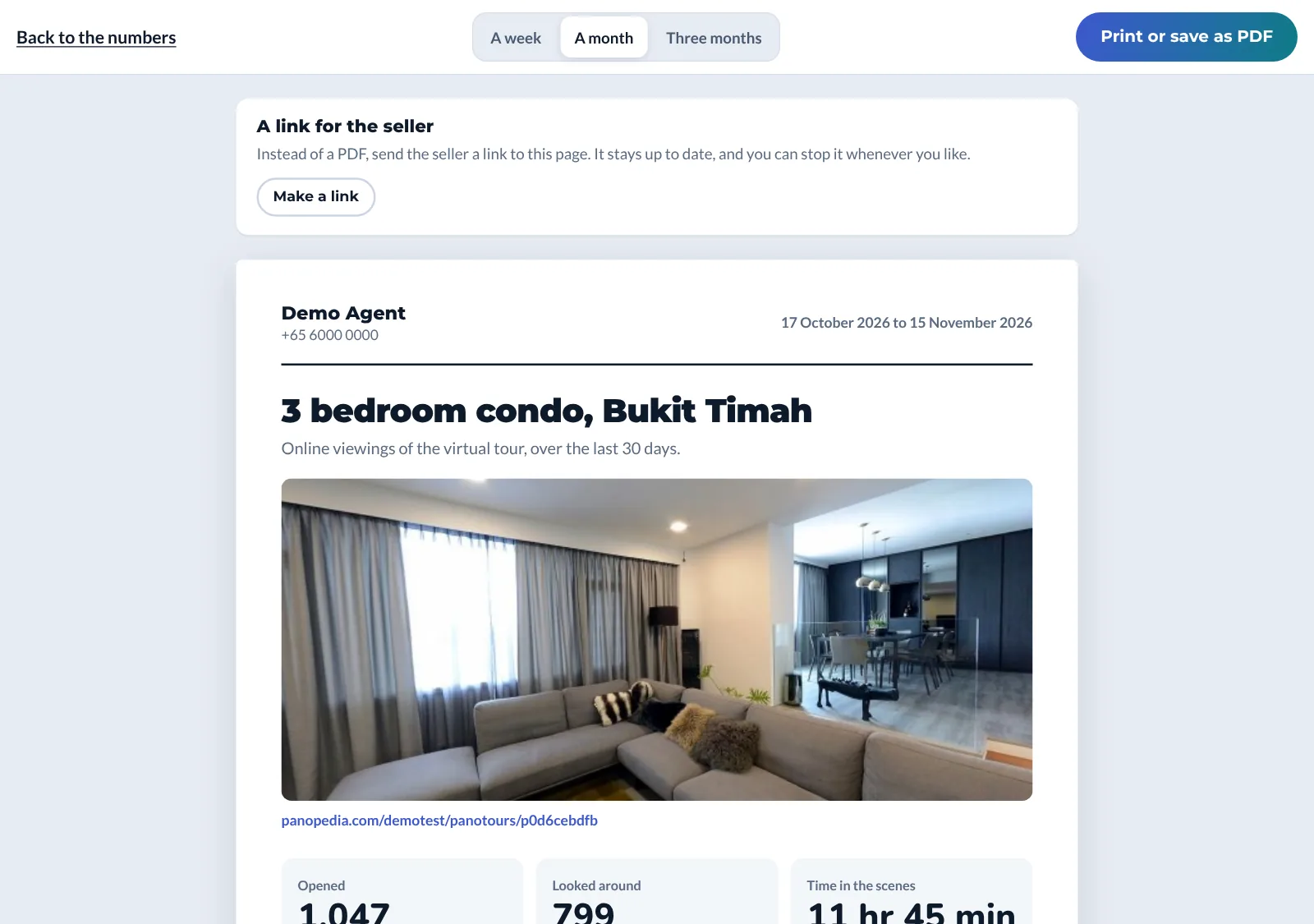
- Print or save as PDF prints it on one A4 page, ready to send.
- Make a link gives an address you can send the seller instead. It shows the same report, kept up to date, and nothing else of your account. Make a new link stops the old one; Stop the link turns it off.
