On Your Panotours, under Most looked at, press Compare them all. The page is also at Your Panotours, then Compare.
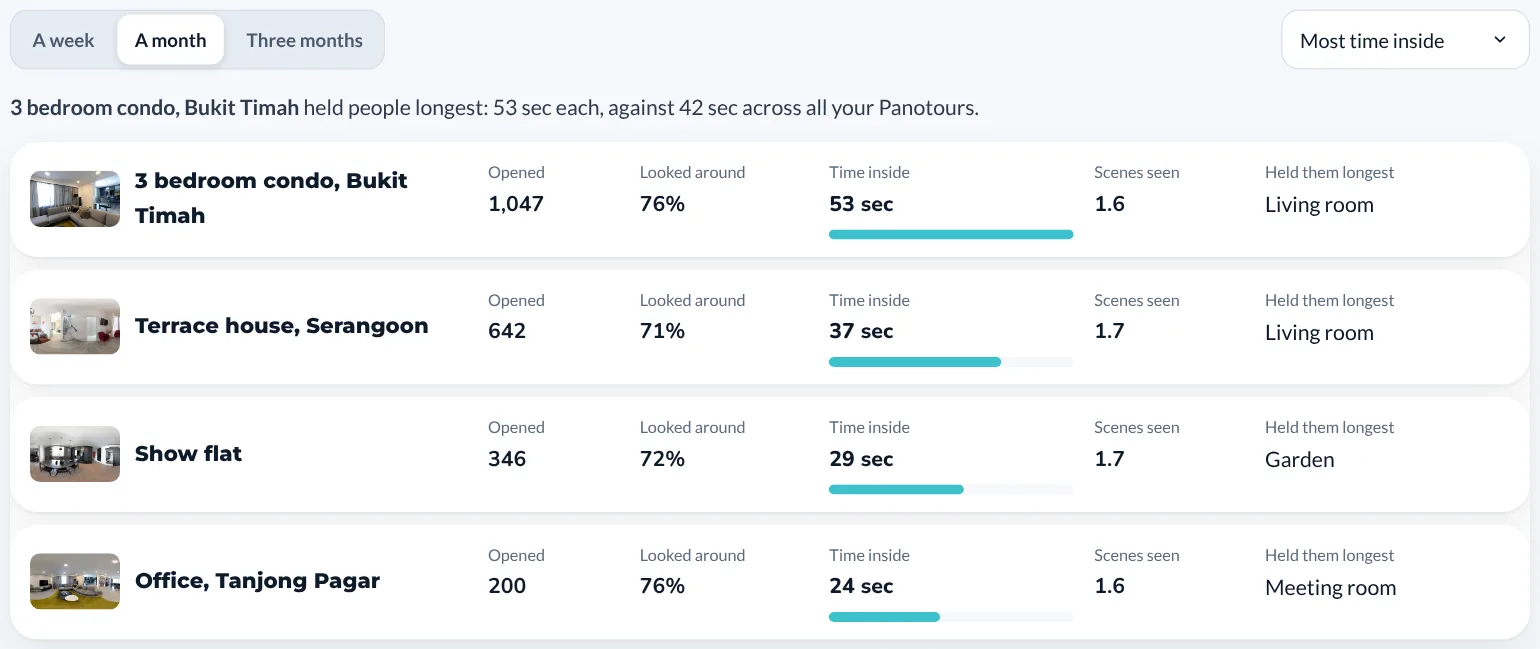
For each Panotour opened in the days you choose:
- Opened. How many times it was opened.
- Looked around. How many of those people dragged, tapped or moved to another scene, rather than just passing it.
- Time inside. How long each person who looked around stayed, in all its scenes together. This is the number that says a Panotour holds people.
- Scenes seen. How many scenes each of them went into.
- Held them longest. The scene people spent the most time in.
Choose A week, A month or Three months, and sort by any of the numbers. The line above the list names the Panotour that held people longest, against the average across all of yours.
Panotours nobody opened in those days are listed underneath. Press a Panotour's name for its own Views.
Tip. Two listings opened the same number of times are not doing equally well if people leave one after ten seconds. Look at what the one that holds people does differently: its first scene, its order, its arrows.
