People scroll past links, but they stop for a video. Video walks through your Panotour scene by scene and saves it as a video file you can post anywhere.
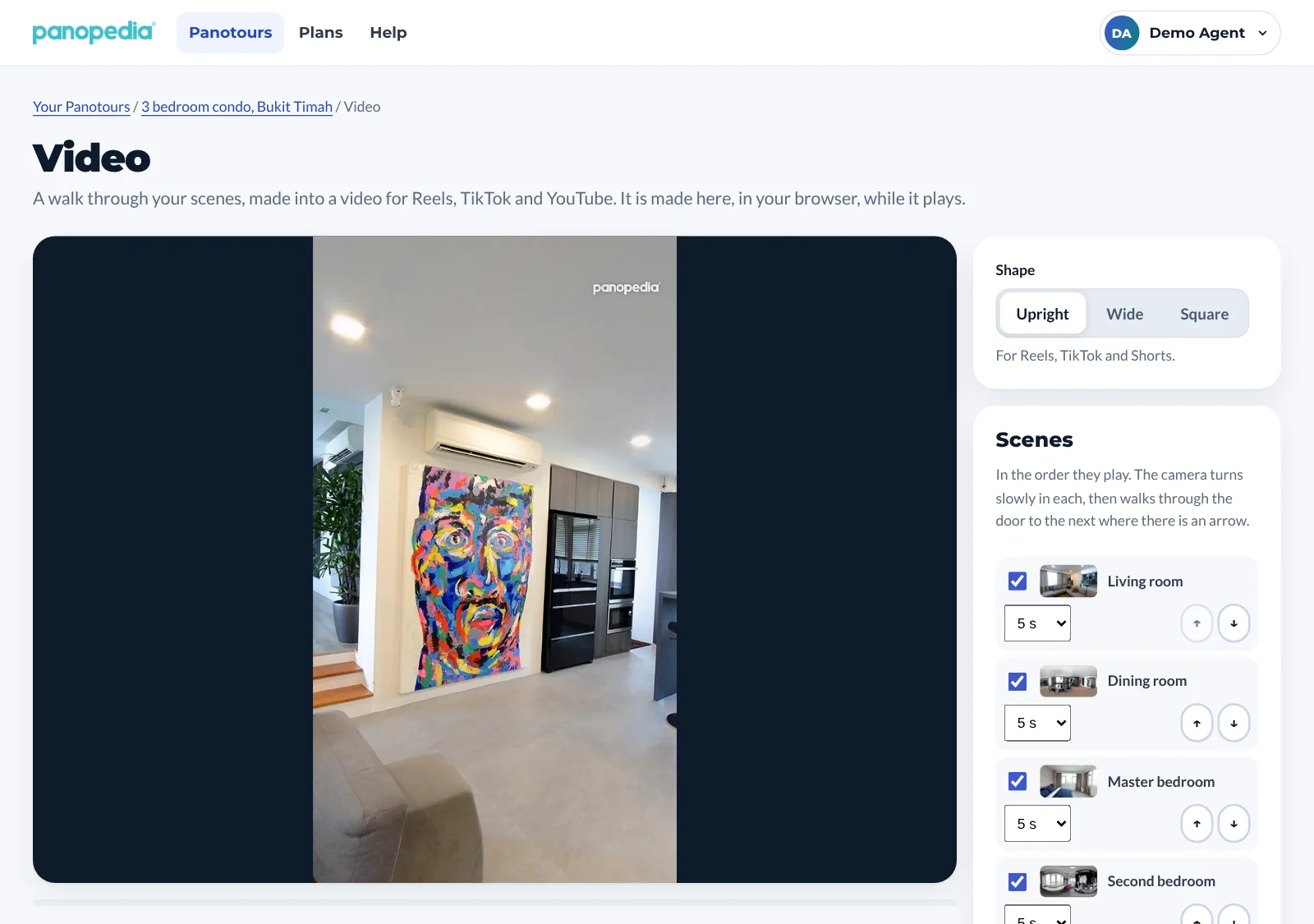
- Open your Panotour and choose Video.
- Choose the shape. Upright is for Reels, TikTok and Shorts. Wide is for YouTube and websites. Square is for posts.
- Choose the scenes. Untick any you want to leave out. Move a scene up or down to change the order. Choose how many seconds each one gets.
- Press Watch it first to see how it looks.
- Press Make the video. Keep the tab open and in front while it plays. It records as it plays, so a 30 second video takes about 30 seconds.
- Press Download the video.
In each scene the camera turns slowly to the door of the next scene. Where you have joined two scenes with an arrow, it walks through the door. Otherwise it fades across. The name of each scene shows as it starts, and the first one shows your Panotour's title too. The Panopedia mark is small, in the corner.
Your choices are kept on this computer, so they are there next time.
What you get
Chrome, Edge and Safari make an MP4 file, which every app takes. Firefox may make a WebM file instead. The video has no sound, so you can add music in the app you post it with.
Tip. Put the scene people care about most first. Most people watch the first few seconds and move on.
