Embedding puts the Panotour inside another page, so people look around without leaving it.
- Copy the embed code. On your Panotour's page, under Share it, press Copy beside Embed on a website.
- Paste it into your page wherever HTML goes: an "embed" or "custom HTML" block in most website builders, or the page's code itself.
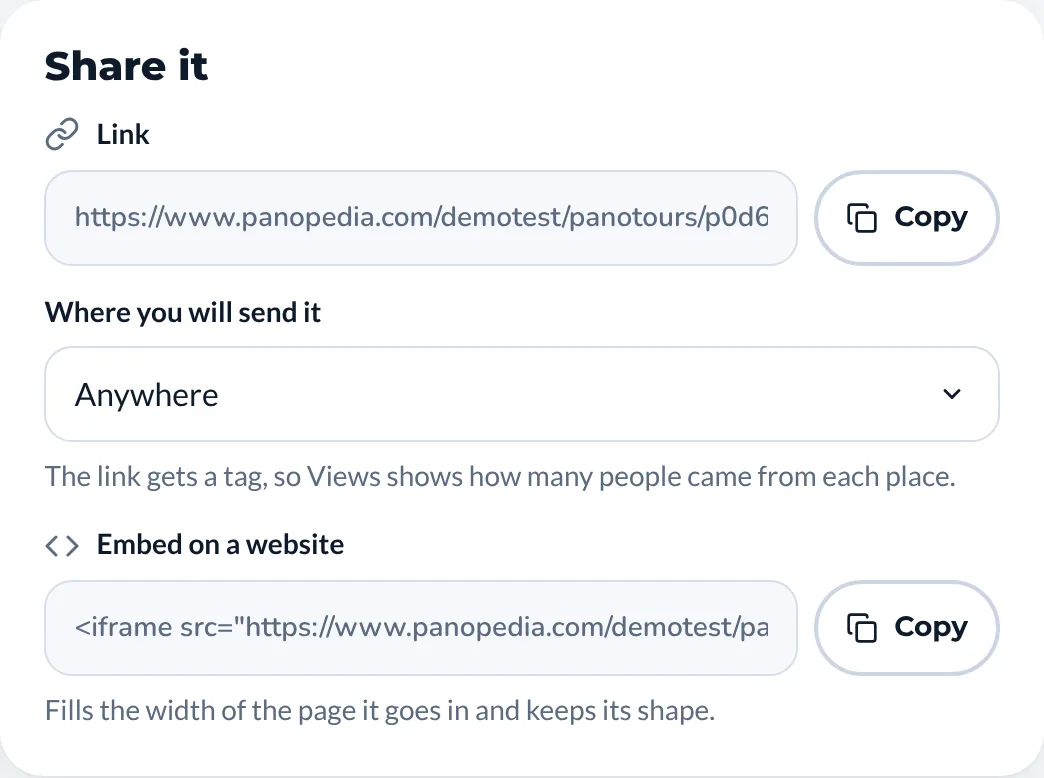
The code fills the width of the page it goes in and keeps the shape of a wide screen, so it fits a phone and a monitor alike. There is nothing to resize.
Or paste the link
Some sites turn a pasted link into the Panotour itself, with no code: they ask Panopedia how to show it, and Panopedia tells them. This works on sites and website builders that read embed details from links (the standard is called oEmbed). Paste your Panotour's link on a line of its own. If the site shows only a plain link or a small preview, use the embed code above instead.
A link to one scene works the same way and opens in that scene.
Only Panotours anyone with the link may see are shown like this. One with a password stays a plain link.
Changes show everywhere
The embed shows the Panotour as it is now. Add a scene or move an arrow, and every page it is embedded on shows the change. There is nothing to paste again, unless you change your username, which changes the address inside the code.
Tip. Embedded Panotours get a full screen button, so a small box on your page still opens into the whole scene.
