A link is a small line of text most people scroll past. Pictures are what they stop for. Carousel saves part of a scene as a row of ordinary pictures, and posted together on Instagram, Facebook or LinkedIn, swiping through them turns the scene.
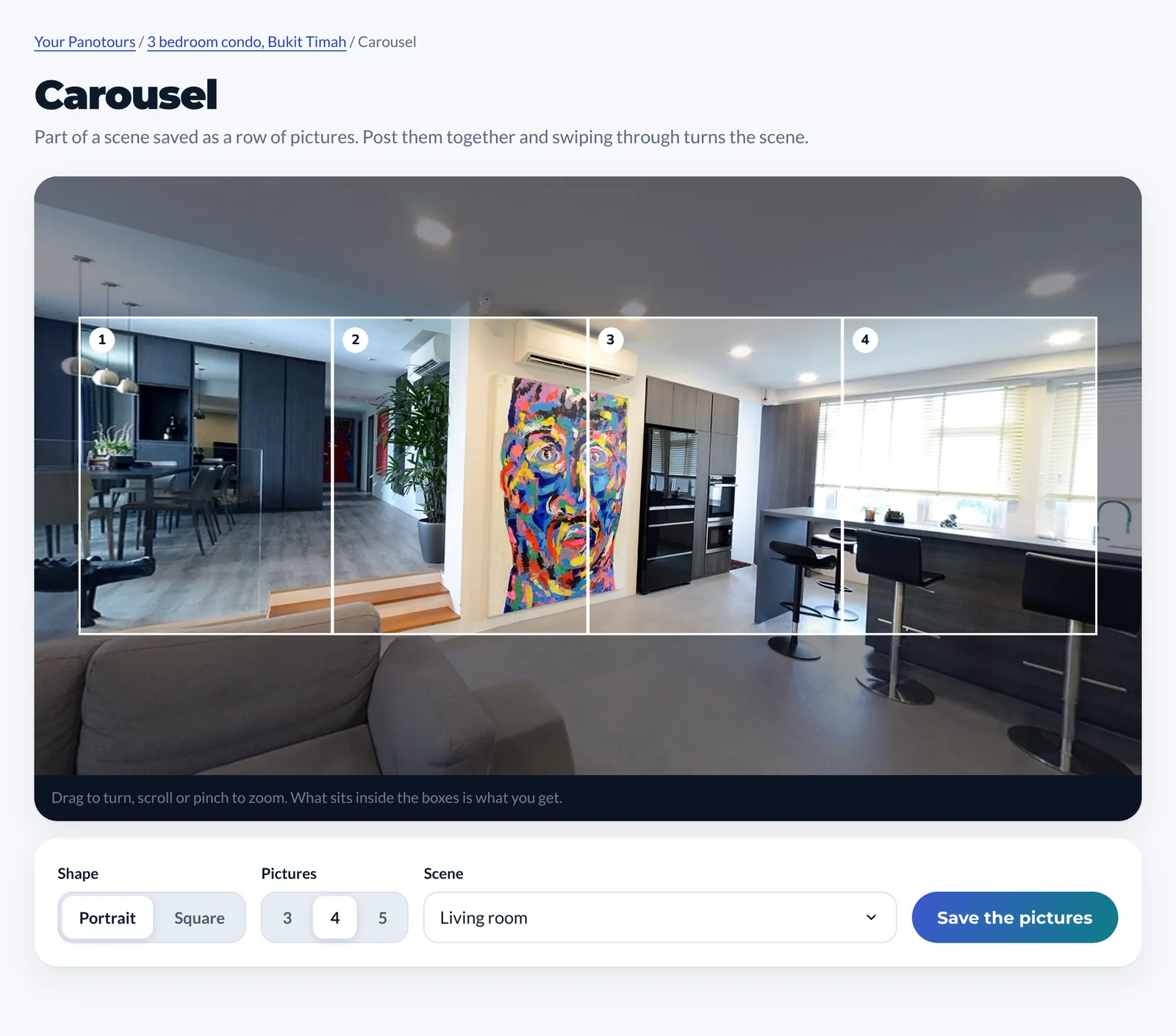
- Open your Panotour and choose Carousel. The scene opens with boxes across it.
- Choose the shape. Portrait fills more of a phone screen on Instagram and Facebook. Square is safer when you are not sure where they will end up.
- Choose how many pictures, 3, 4 or 5. More pictures show more of the scene, each showing less. Four is a good start.
- Frame the scene. The boxes stay still: drag the scene to turn it, and scroll or pinch to zoom, until what you want sits inside them.
- Press Save the pictures.
On a phone the pictures go straight to the app you choose. On a computer they are saved as files.
Posting them
Post them in the order they were saved. In order, swiping turns the scene; jumbled, it is a set of photos. Every picture is the same shape, which matters because most apps crop the whole post to match the first one.
