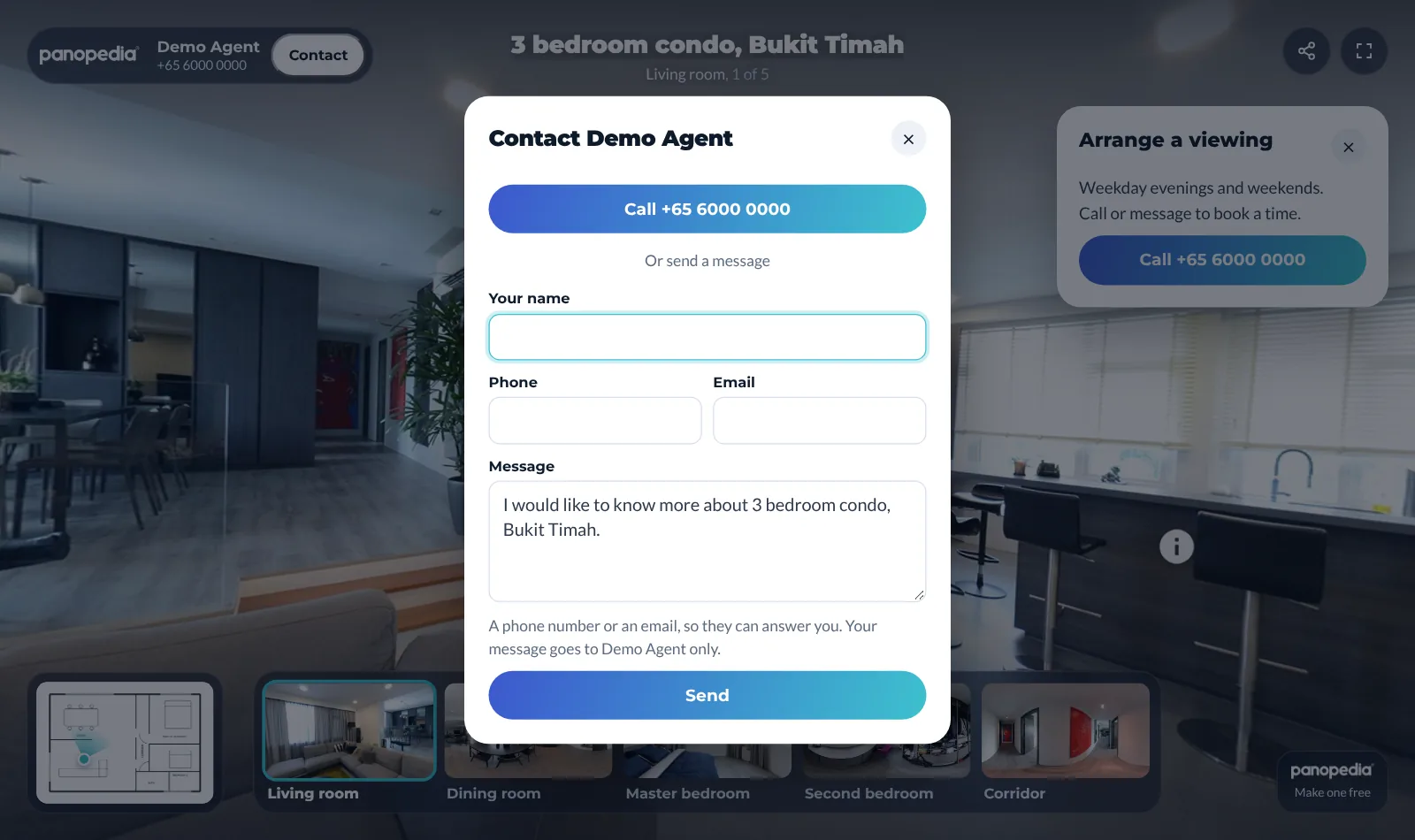
Somebody looking around your Panotour can reach you without leaving it. They press Contact beside your name. They can call or email you straight away, or send a message with their name, phone number or email, and what they want to know.
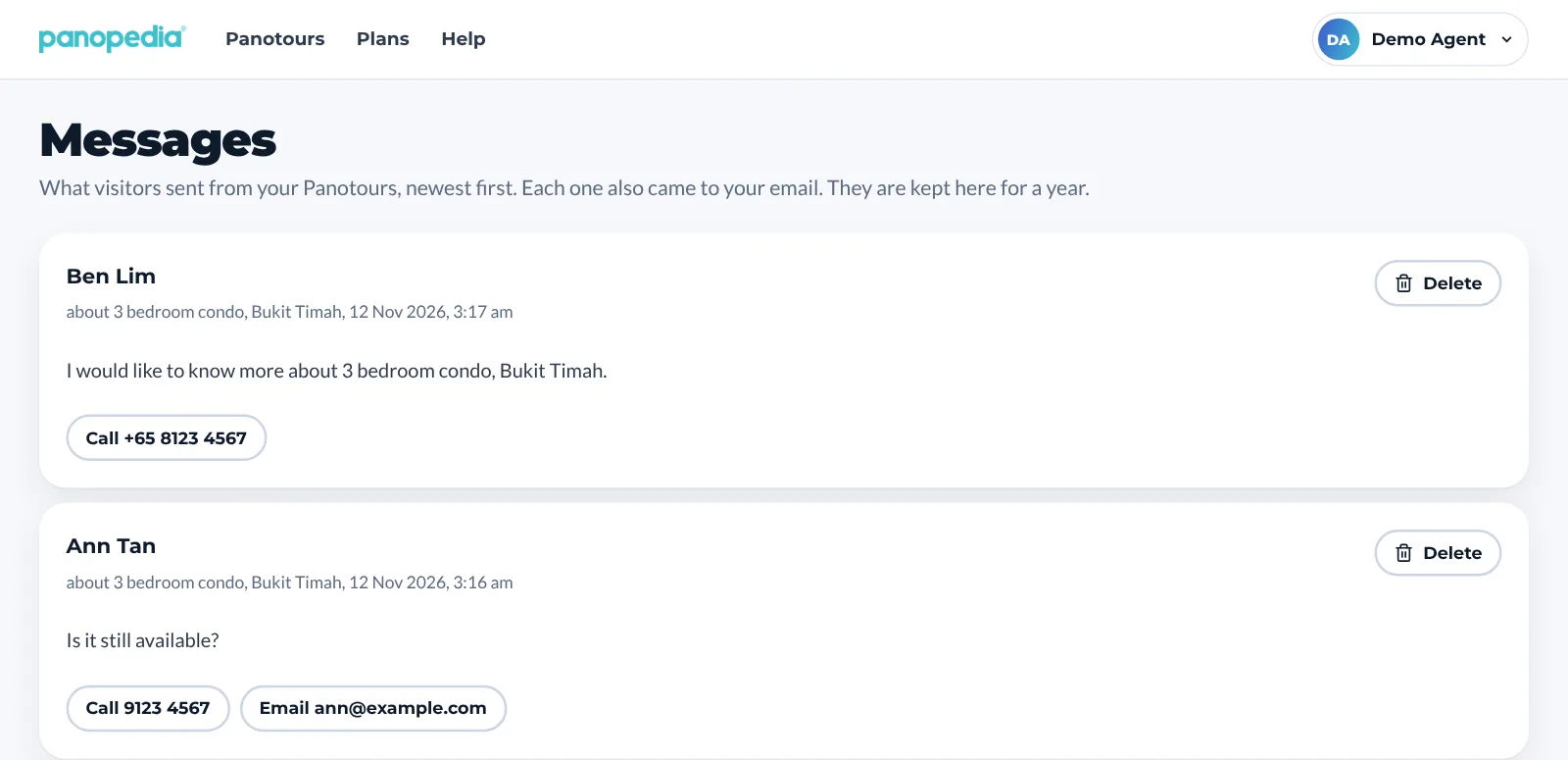
The message comes to your email at once. Reply to the email to answer them: it goes to them, not to us. It also stays under Messages in your account menu for a year, with buttons to call or email them back.
Turning them off
Messages are on for every Panotour that shows your name. To turn them off for one, open it, choose Edit, and set Messages from visitors to Turn them off. Visitors then see your usual Call or Email button instead.
If you hide your name and contact details on your Panotours, there is no Contact button, and no messages.
Deleting them
Press Delete on a message to remove it from your account at once. Messages older than a year are deleted for you. The copy in your email is yours to keep or delete.
