Your own button sits at the side of your Panotour, with your own words and a button that goes wherever you choose: a booking page, the full listing on a property portal, your website. It is set on your Panotour's page under Your own button.
Visitors can always reach you with Contact beside your name, which calls or emails you, or sends you a message. So your own button is best used for something else.
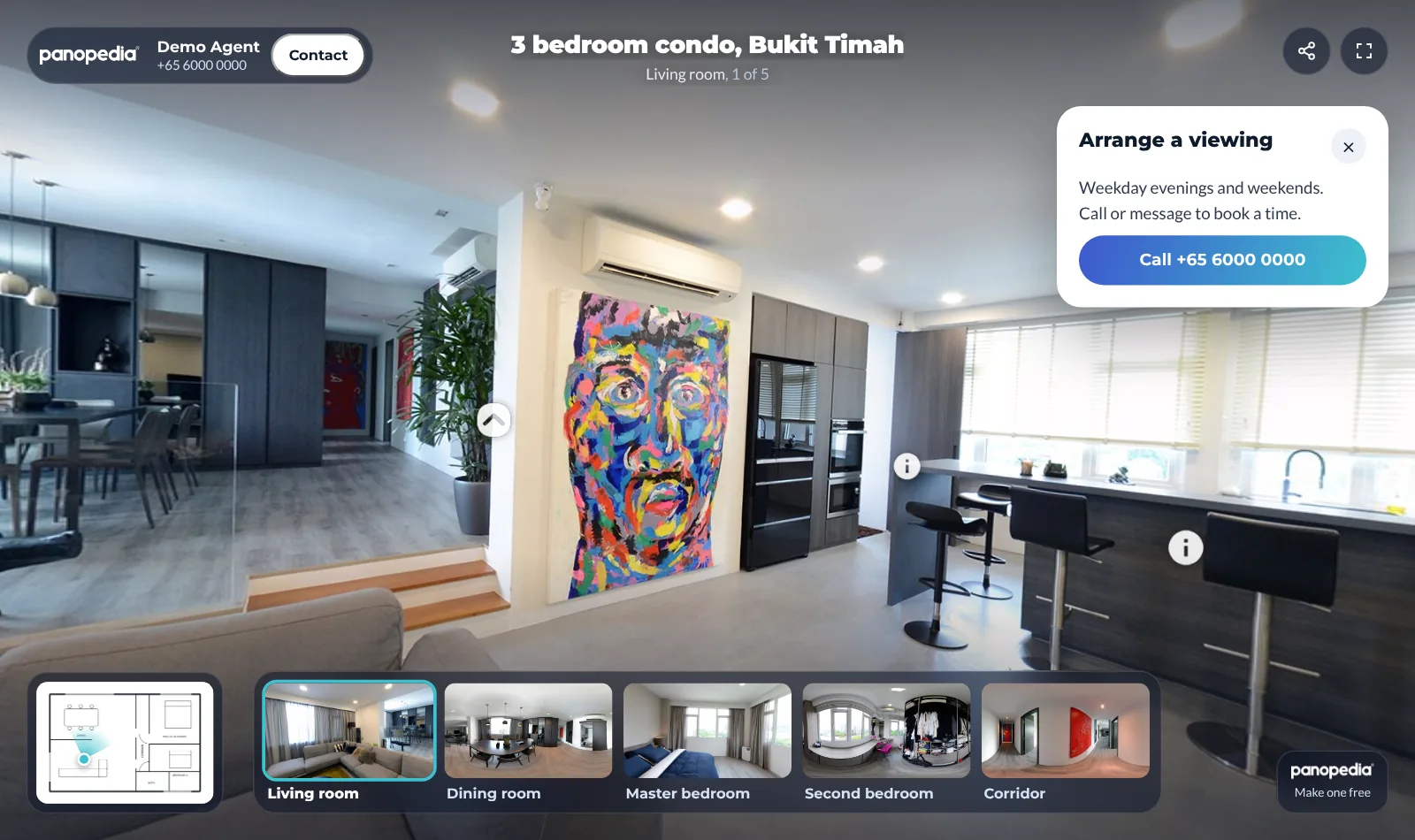
- Turn it on. Set Your own button to Show it.
- Choose a side, left or right.
- Write a headline and a line of text. Say what happens next: "Like what you see? Book a viewing this weekend."
- Choose what the button does. Opens a web page, Calls a number or Emails an address.
- Write the button's words and where it goes, then press Save changes.
On a phone the box would cover the view, so it shows as one button above the list of scenes instead.
Tip. Name the action on the button itself: "Book a viewing" or "See the full listing" gets more presses than "Click here".
