Buyers ask the same three things about a space: how big, which way it faces, and how high the ceiling is. Scene facts answer them inside the Panotour.
Open your Panotour, choose Scenes, and press Scene facts under a scene's name.
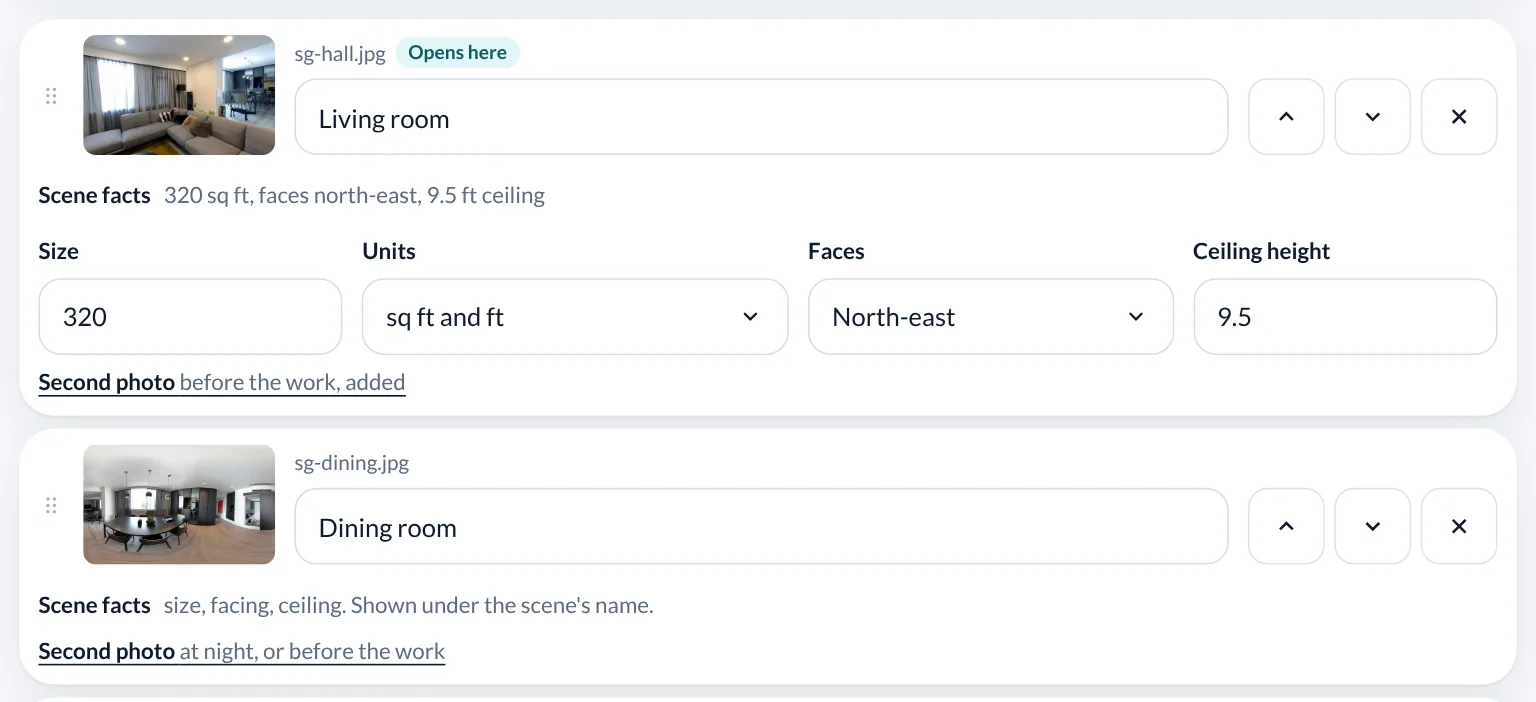
- Size. The floor area.
- Units. Square metres with the ceiling in metres, or square feet with the ceiling in feet. If the Panotour has a listing page, this starts in the listing's units.
- Faces. The way its windows look out: north, north-east and so on.
- Ceiling height. From floor to ceiling.
Fill in only what you know, and leave the rest empty. Press Save and connect the scenes to keep them.
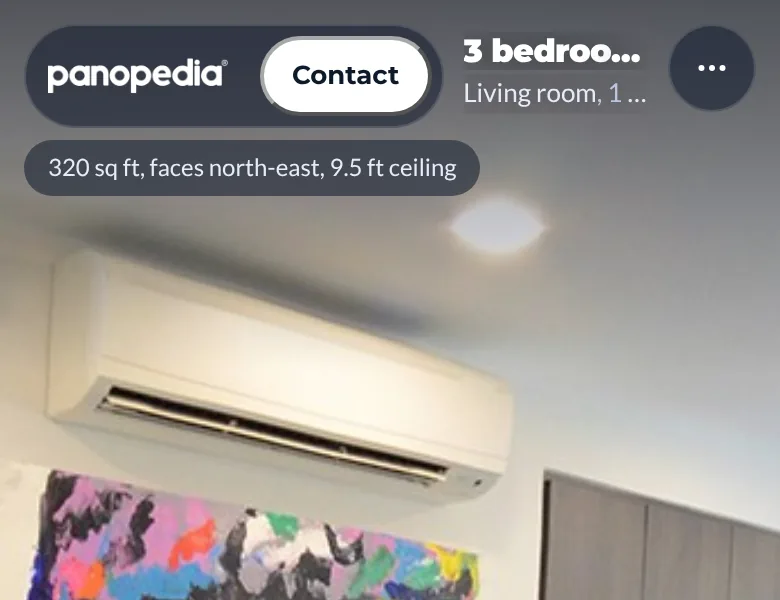
Visitors see the facts under the scene's name as they walk through. On a phone they sit in a small strip under the top.
Tip. These are your own figures, shown as you wrote them. Check them against the floor plan you were given before you publish.
