Directly beneath a 360° camera is the one place it cannot see, because it is standing there. Look down in most virtual tours and you find a tripod, a smudge or a hole where the floor should be. It is often the first thing a visitor notices.
Hide the tripod, on the same page as Fix your photos, draws the floor in for you.
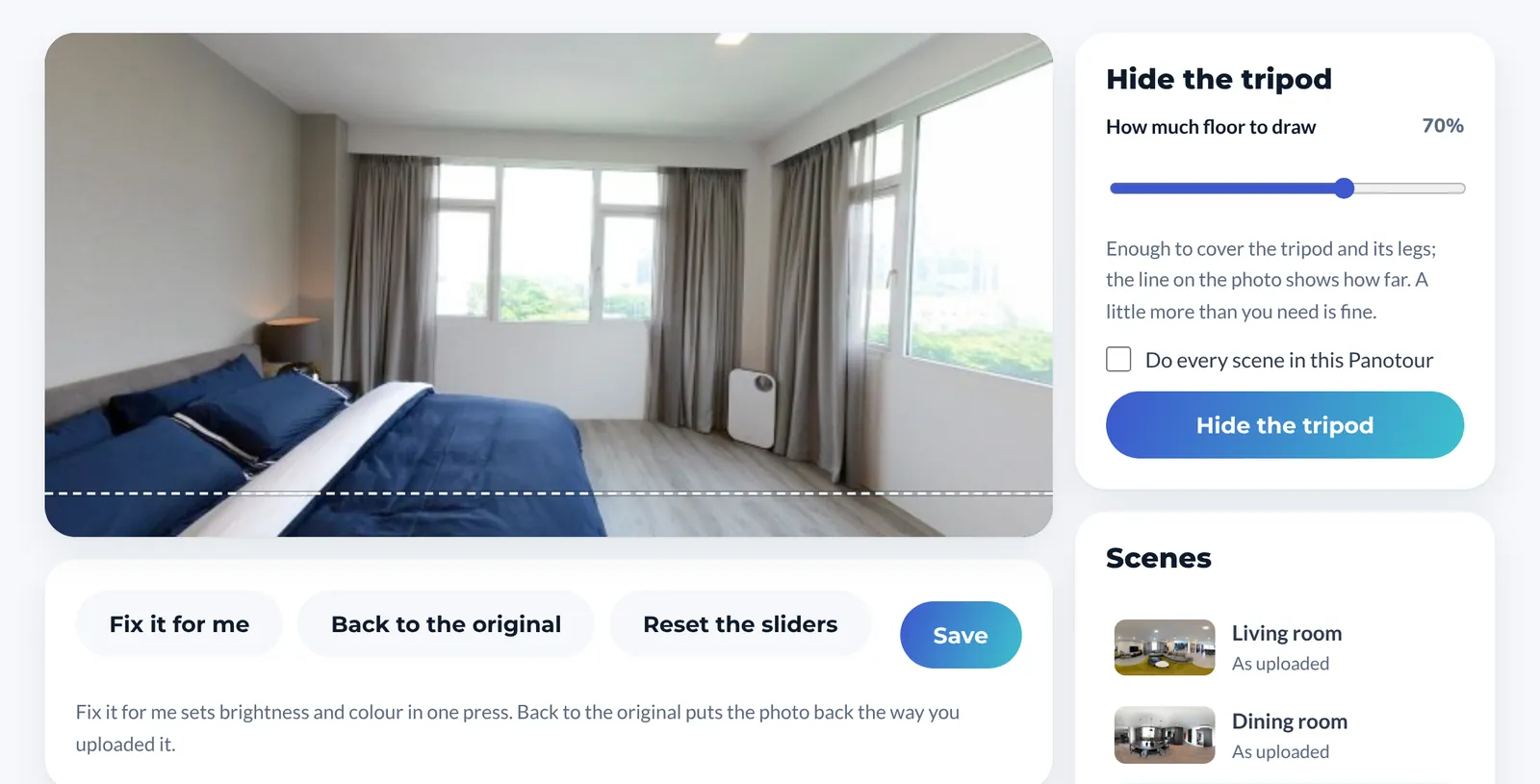
- Open a scene on the Fix your photos page.
- Set how much floor to replace with How much floor to draw. A line on the preview shows roughly how far it reaches.
- Press Hide the tripod.
How much you need
- A small 360° camera on a single pole leaves very little behind. A low setting is enough.
- A three-legged tripod needs much more, because the legs reach out.
- A camera held in the hand may need more still, since an arm and a shoe usually show too.
If in doubt, use more. Replacing extra floor costs nothing; replacing too little leaves part of the stand behind.
The whole tour at once
Your camera almost certainly stood on the same thing in every scene, so one setting usually suits them all. Tick Do every scene in this Panotour before pressing the button. You are told how many scenes it will change and roughly how long it takes before anything starts. Scenes that already have that much floor drawn in are skipped.
Like every fix, it can be undone with Back to the original.
