Each part has a tab of its own under Showcase in your account menu. See your Showcase opens the site as visitors see it.
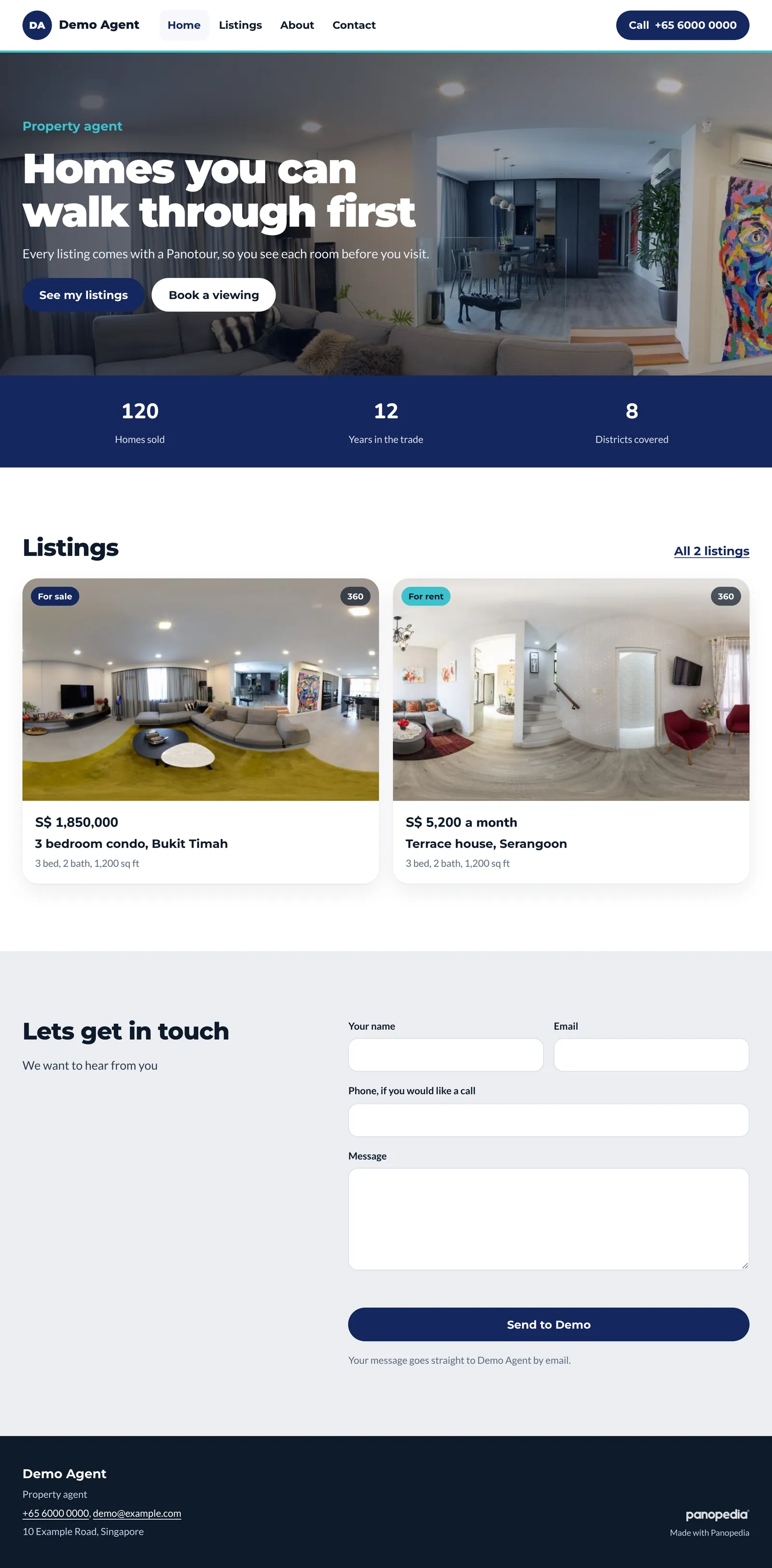
The picture at the top
Home picture is the large picture at the top of your home page, and the first thing a visitor sees.
- Write the words: a Heading and a Line under it.
- Add a button, if you want one: its words, and where it goes. That can be a web address, or a page of your Showcase such as /listings.
- Choose the picture. Wide, at least 1920 pixels across. A scene from one of your Panotours works well.
- Press Save changes.
About you
About you introduces you: your name, your job title, your contact number, your licence or agent number, your office address and a few lines about how you work and where. Add a clear photo of your face. It appears on your About page and beside every listing. On the same tab you can choose whether the About page shows your awards and the contact form.
Numbers
Numbers are a row of figures across your home page: homes sold, years in the trade, suburbs covered. Each has a number and what it counts, and can be shown or hidden. The four newest that are shown appear.
Reviews
Reviews are what clients said about you, in their words: their name, who they are, and what they said. The six newest are shown on your home page.
Awards
Awards shows what you have won: the award, who gave it, how many times you won it, and a picture of it (square works best). They are shown on your home page and, if you choose, your About page.
